Using BoxStand In Game
This page covers what players do in game. Every icon, text and limit mentioned here can be changed in Configuration.
Clicking a stand
| Click on a stand | What happens |
|---|---|
| Sneak + right-click | Opens the stand GUI |
| Right-click while holding an item | Puts the item on the body part you aim at. If that part already wears something, the two swap |
| Right-click with an empty hand | Takes the item off the body part you aim at |
| Middle-click | Makes a copy of the stand, see Copy and paste |
When an arm or a held item sticks out past the stand's hitbox, you can still click it there. This does not work in the worlds listed under ghost-click.
The GUI
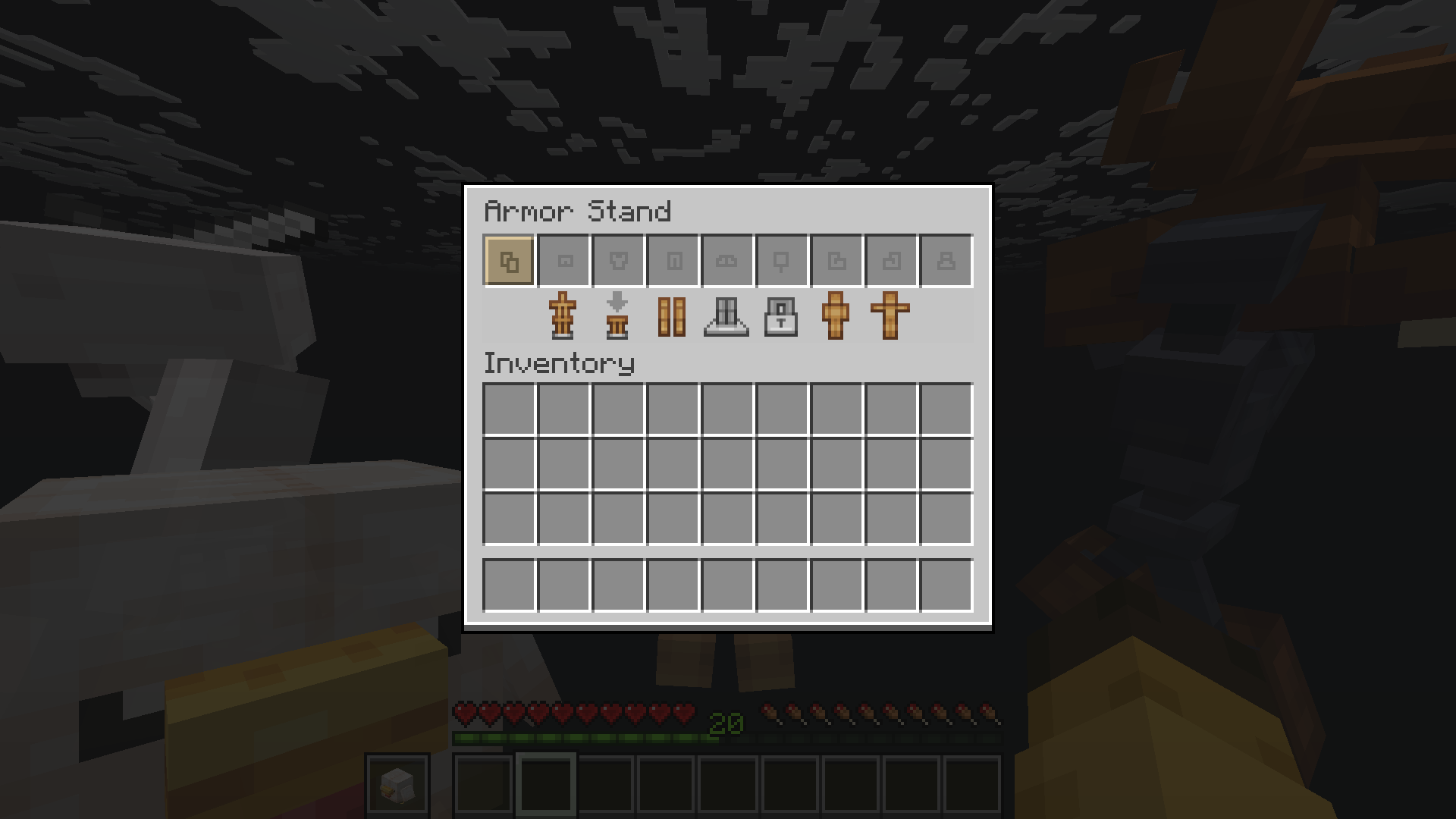
Top row: the copy slot, followed by the slots for what the stand wears. An empty slot carries its own name, so hovering it says what belongs there. Bedrock players see plain empty slots instead.
Button row
Each toggle says ON or OFF right after its name, and a part on the pose page carries its current angles the same way.
| Button | What it does |
|---|---|
| Visible | Shows or hides the stand, together with its mannequin |
| Gravity | While on, the stand falls like a normal armor stand |
| Arms | Shows the arms. A stand needs arms to hold items |
| Base Plate | Shows the stone plate under the feet |
| Lock | Locks the stand, see Locking |
| Mannequin | Left-click turns the stand's model on or off, right-click chooses one |
| Pose | Opens the part page for posing |
- Buttons a player has no permission for are hidden, and the remaining buttons close the gap.
- Only one player can have a stand's GUI open at a time.
- The GUI closes by itself when you walk more than 6 blocks from the stand.
Equipment
Drag items into the GUI slots, or right-click the stand in the world while holding the item.
- Backpack: an item worn on the stand's back. It follows the body when you pose it.
- Balloon: an item, mob or model floating on a lead. See Balloons.
Mannequins
- Right-click the Mannequin button to open the picker and choose a model.
- Left-click turns the model the stand already has on or off. It is remembered while it is off, so the next left-click puts the same one back. A stand that has never been given a model opens the picker instead.
- On Bedrock, where a menu cannot send a right-click, one click does both: it takes a worn model off, and opens the picker when none is worn.
- Back is the first slot, and the models follow it from there, nine to a row. The page holds up to 53 models, which is a full double chest with Back counted in.
- Some models have no use for certain slots, for example a torso has no legs. Items in those slots are kept on the stand and come back when the model is removed.
- Turning Visible off hides the model without removing it.
To add your own models, see Mannequins.
Posing
Click Pose to open the part page. Back is the first slot. The last slot leads to the preset page when the model has preset poses the player may use, and is the pose paste slot otherwise.
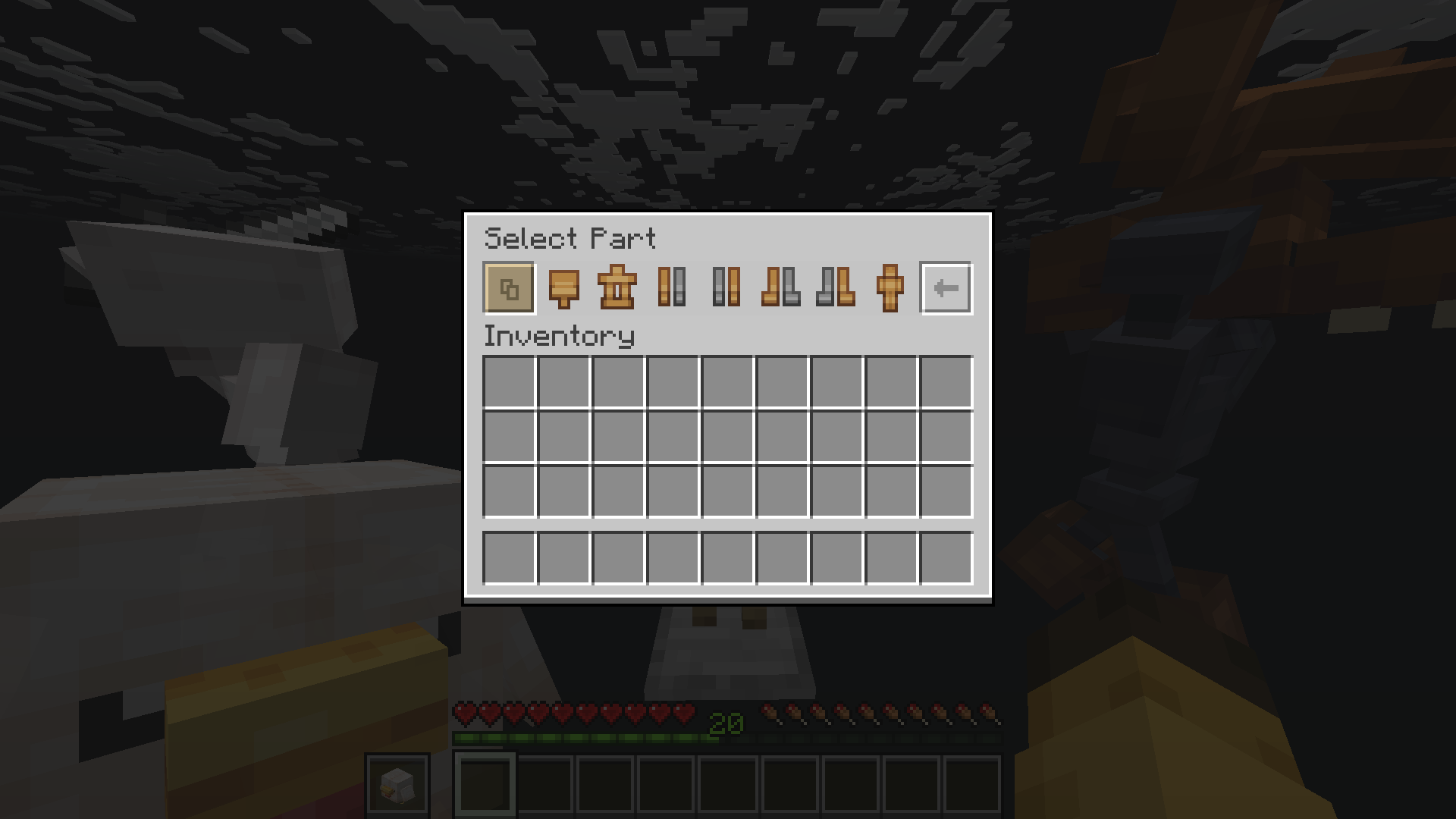
- Click a part to start turning it. Shift-click a part to put it back to the rest pose.
- Stand turns the whole stand around.
- Parts the stand cannot use are left out. For example, the arm buttons are hidden while Arms is off.
Preset poses
- Click a pose on the preset page to hold it. Clicking the same pose again resets the stand to its rest pose.
- You can still turn parts by hand while a preset is held. Your changes are added on top of it.
- Back is the first slot, the poses follow it, and Paste Pose is always the very last slot of the page, however many rows the poses fill. Up to 52 poses fit.
Controls
The Body only turns on the Y axis until pose.body-turn-xz is switched on - leaning the torso carries the head, the arms and everything worn with it. Every other part turns on all three axes.
There are two control modes, chosen with pose.control.
| To... | Scroll mode (default) | WASD mode |
|---|---|---|
| Turn the part | Scroll the mouse wheel | Hold W or S |
| Turn it on the Y axis | Sneak + scroll | Sneak + A or D |
| Switch to another part | Right-click that part | Right-click that part |
| Walk around freely | Not available | Jump. Sneak to return to posing |
| Go back to the part page | Sneak + right-click the stand | Sneak + right-click the stand |
| Finish posing | Left-click | Left-click |
- Which axis you turn depends on where you stand: the front and back turn one axis, the sides turn the other. The action bar tells you which.
- The sidebar shows the part's current angles.
- Posing ends if you walk more than 8 blocks away.
Copy and paste
A copy is an armor stand item that remembers a stand. There are three ways to get one:
| How | What the copy remembers |
|---|---|
| Middle-click a stand while holding an armor stand item | The pose and the settings |
| Middle-click a stand in creative while holding anything else | The pose, the settings and the items |
| Break the stand | The pose and the settings. Items too, if the server turns on break.copy.items |
- Placing the copy builds the stand again exactly as it was. A copy that holds items glows.
- Breaking a stand nobody has changed gives a plain armor stand item.
- In creative, breaking a stand drops only the copy.
- Admins always get a full copy when they break a stand.
/boxstand breakmodeswitches that off for yourself. - Middle-click copying needs Minecraft 1.21.4 or newer.
Copy slots
You can also apply a copy to an existing stand without placing it, by dropping it on a copy slot:
| Slot | What it applies |
|---|---|
| First slot of the stand GUI | Everything in the copy. The items only come along with the boxstand.paste.items permission |
| Pose paste slot | Only the pose |
- Dropping a plain armor stand item on either slot does the opposite: the stand is copied onto the item.
- In creative, clicking a copy slot with an empty hand gives you a copy of the stand.
- Using a copy slot does not use up the copy.
Balloons
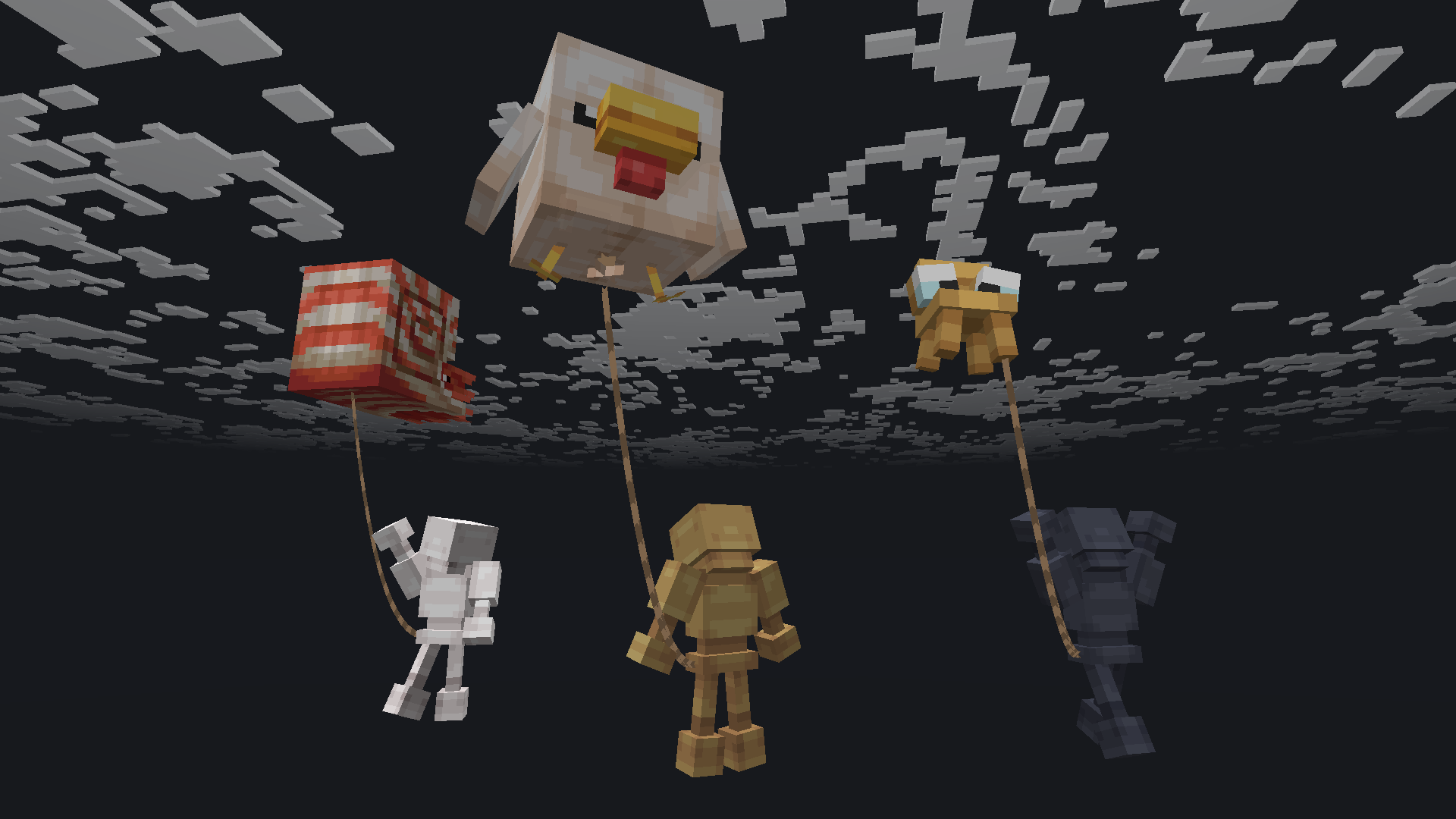
| Put in the balloon slot | What floats |
|---|---|
| Any item | That item |
| A spawn egg | A live mob. Shift + right-click the slot to switch between adult and baby |
| Right-click the slot and type a model name | A ModelEngine model. Left-click the slot to remove it |
You can also fill the balloon without opening the GUI, by right-clicking the stand's chest in the world while holding the item. Size, position and movement are set under balloon:.
Hidden stands
- A stand with Visible off is hidden. Sneak and every hidden stand nearby lights up with a glowing outline, drawn on your screen only.
- Hidden stands cannot be broken or copied.
- Worlds listed under
sneak.blacklisted-worldslight nothing, even for admins./boxstand bypassturns the outlines back on for one player.
Locking
- A locked stand cannot be broken, and nobody can put items on it or take them off by clicking it in the world.
- Players who can open the GUI can still change a locked stand, and unlock it there.
- To stop that, turn on
lock.personal. Then only the player who locked the stand can open its GUI, plus anyone withboxstand.lock.bypass.